
Everyone’s preloading fonts for faster sites. But did you know it can secretly regress your First Contentful Paint instead? Let’s look at when preloading helps, when it hurts, and the simple rules to follow.
Preloading fonts looks like a smart pagespeed move, but it can also push back First Contentful Paint (FCP) and even Largest Contentful Paint (LCP). Here is when it helps, when it hurts, and how to decide.
Many big sites preload their web fonts. It feels like a no-brainer: "tell the browser what is important and ship it early." In practice, preloading can remove a double paint, but it can also delay your very first paint. Let us unpack why.
Without preloading web fonts
Without preloading, the browser typically paints once and then applies the custom font when it finishes downloading. This will then cause a second paint (details depend on your font-display setting, which is a different topic).
Two paints in quick succession are not ideal for rendering cost or visual stability. This is why developers, platforms or plugins end up preloading web fonts, like this:
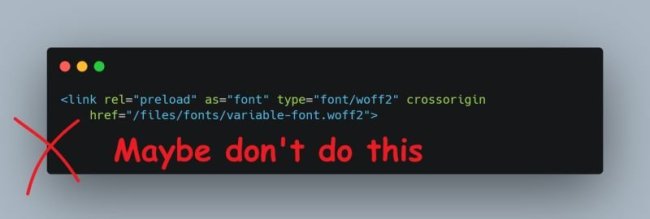
<link rel="preload" href="/fonts/Roboto.woff2" as="font" type="font/woff2" crossorigin>
In some cases, multiple fonts are being preloaded. However, preloading fonts can come with a trade-off.
Trade-offs of preloading web fonts
When you preload a font, you are signaling to the browser: "this is critical; you will need it soon". All modern browsers support this for a very long time now, and thus will end up downloading them. Very convenient when you know you your webpage needs a resource or, in this case a webfont.
Browser behavior
While supported in browsers, Chrome decided to slighty act differently when detecting a web font being preloaded. The reason? In about 40% page loads, web fonts still miss the first rendering update when fonts were preloaded, resulting in visible font swapping and layout shifts.
Since mid 2023, Chrome is likely to delay the first paint until the preloaded font arrives. By doing this, the browser can paint with the final typeface and avoid a double paint.
We will make font preloads block rendering until they finish or until a timeout. This allows authors to reduce layout shifts caused by web font swapping in at the cost of a minor delay in the first paint, and still give an overall better user experience.
Chromestatus.com
Holding off FCP
This behavior comes with upsides and downsides. When you're a webdeveloper of a website or themes and plugins, it is convenient to be aware of them.
Upsides of Chrome behavior
- It eliminates layout shifts
- Fewer early repaints; more stable first render.
Downside of Chrome behavior
- FCP can be pushed back because the browser waits for the font.
- LCP can be delayed if your hero content depends on that font.

Because of the possible downside, the Chromium team introduced a timeout to mitigate possible trade-offs.
Preloading timeout
If there is any font preload happening, the Chromium browser uses two time-outs. Rendering is unblocked when either of the timeouts has fired:
- A timeout of 1500ms that starts on navigation start.
- This ensures that font preloading doesn't make first paint much worse than 1500ms.
- A timeout of 100ms that starts when the last non-font render-blocking resource has finished;
if there are no other render-blocking resources (namely, scripts and style sheets), then it starts on navigation start. This ensures that font preloading doesn't delay first paint by more than 100ms on any pages.
Preloading best practices
Preload only the fonts that are actively used above the fold. I tend to use a maximum of two fonts, because if everything (all fonts) are importing, nothing is and it could come with other downsides. When preloading, be sure to always include crossorigin for fonts, even when downloaded from the same hostname.
Variable fonts
Variable fonts are often much larger than static fonts. Preloading them can therefore increase the performance impact instead of reducing it. As a rule of thumb, avoid preloading variable fonts unless their file size is comparable to a single static font (around 15 to 20 KB).
If you want your custom branded fonts to load as quickly as possible, consider preloading a lightweight static font for the critical styles (e.g., regular weight). The browser can then pick up the variable font via your CSS and load it slightly later, without blocking the initial render.
Self-host web fonts
In general, self-hosting fonts is better because of the additional DNS and TLS handshakes that is involved when loading fonts from a different domain. But especially when preloading fonts, be sure to self-host them.
Text vs icon fonts
When users reach your webpage for the first time, none of your website's resources will be cached yet in their browser. But the most important part of early user engagement is allowing them to start consuming your webpages, which can either be a blogpost or product title and information.
In other words, at that stage your text is more important than icons for your checkout-, login- or wishlist buttons. That's why I typically don't preload icon fonts.
Bottom line
Preloading fonts is powerful, but not a silver bullet. It can remove a double paint and improve perceived stability, or it can delay FCP and LCP. Start small, measure on your own stack, and let real-user data guide you.
LinkedIn-post related to this blogpost: https://www.linkedin.com/posts/erwinhofman_pagespeed-sitespeed-fcp-activity-7366748540611518465-2Gbe/